

Snort Detection Lab
Hands-on Snort Rule Creation and PCAP-Based Attack Detection

What we are going to discuss in this lab:
In this lab, we will learn how to write custom Snort rules and test them against PCAP files to detect common real-world attacks, including:
Detecting suspicious User-Agents
Detecting EXE file Transfers in HTTP
Detecting SSH brute-force attacks
Detecting Path Traversal (LFI) attacks
Detecting data exfiltration via external FTP servers
This lab is designed especially for beginners who want hands-on experience with Snort rule creation and testing.
If you are new to Snort, I strongly recommend learning the basics from the following TryHackMe rooms
Prerequisites
Before starting the lab, make sure you have:
Ubuntu Server (or any Linux system)
Snort installed and working
PCAP files containing attack traffic
This website is Helpful tool for beginners while making snort rules:
- Snort Rule Generator: https://snorpy.cyb3rs3c.net/
Lab Process (Common for All Attacks)
Write custom Snort rules in:
/etc/snort/rules/local.rulesTest the rule syntax:
sudo snort -c /etc/snort/snort.conf -TRun Snort against a PCAP file:
snort -c /etc/snort/snort.conf -r traffic.pcap -A cmgCheck alerts and verify detections.
EXE file detect over HTTP
Open PCAP file on Wireshark and apply the filter below. You will notice two HTTP packets containing .exe in the URI.
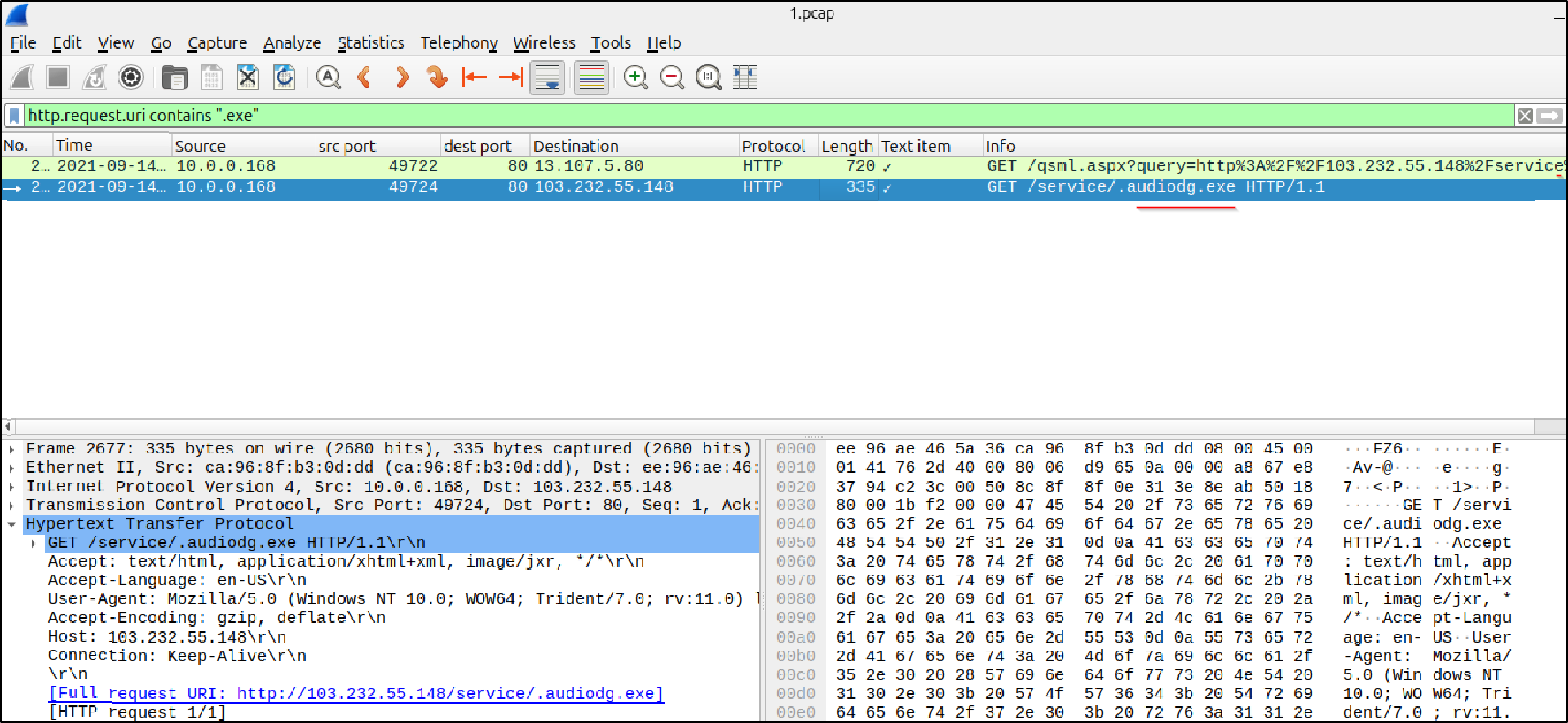
Let’s create a Snort rule to detect the above packets and generate an alert whenever incoming traffic to our HTTP server (running on port 80) contains the string
.exein the HTTP URL.
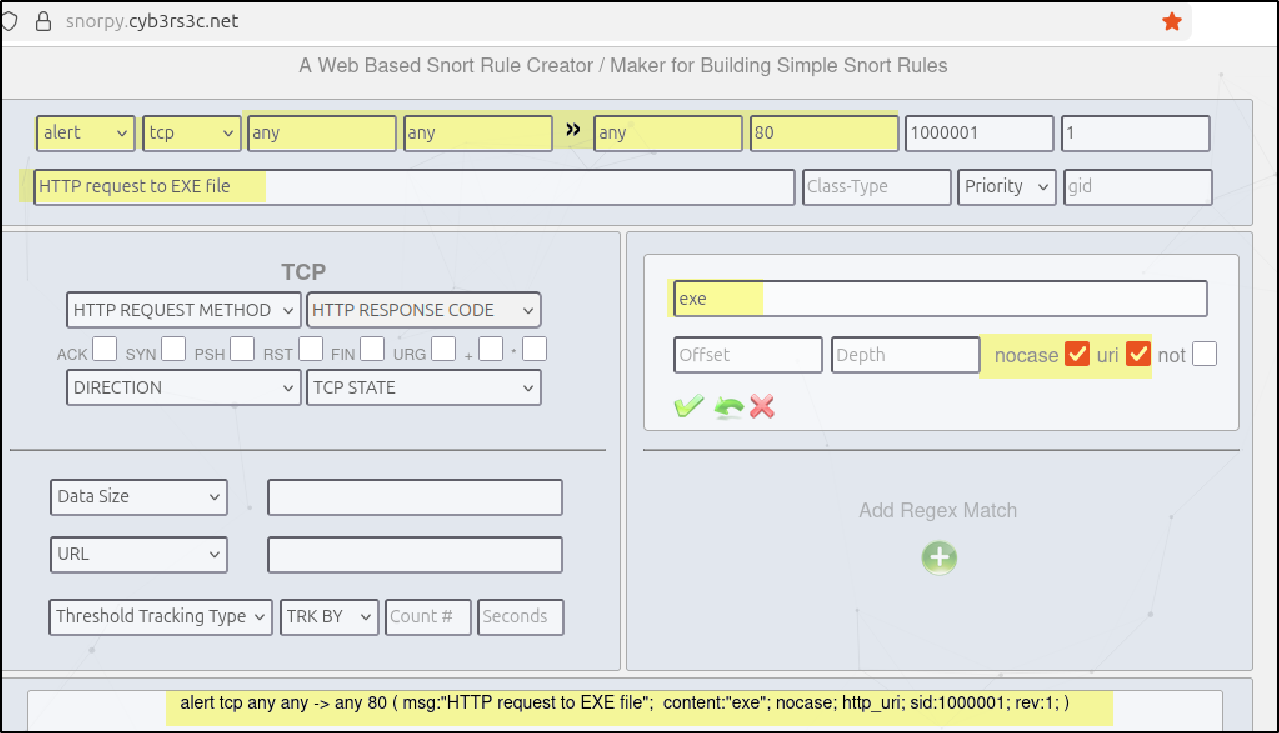
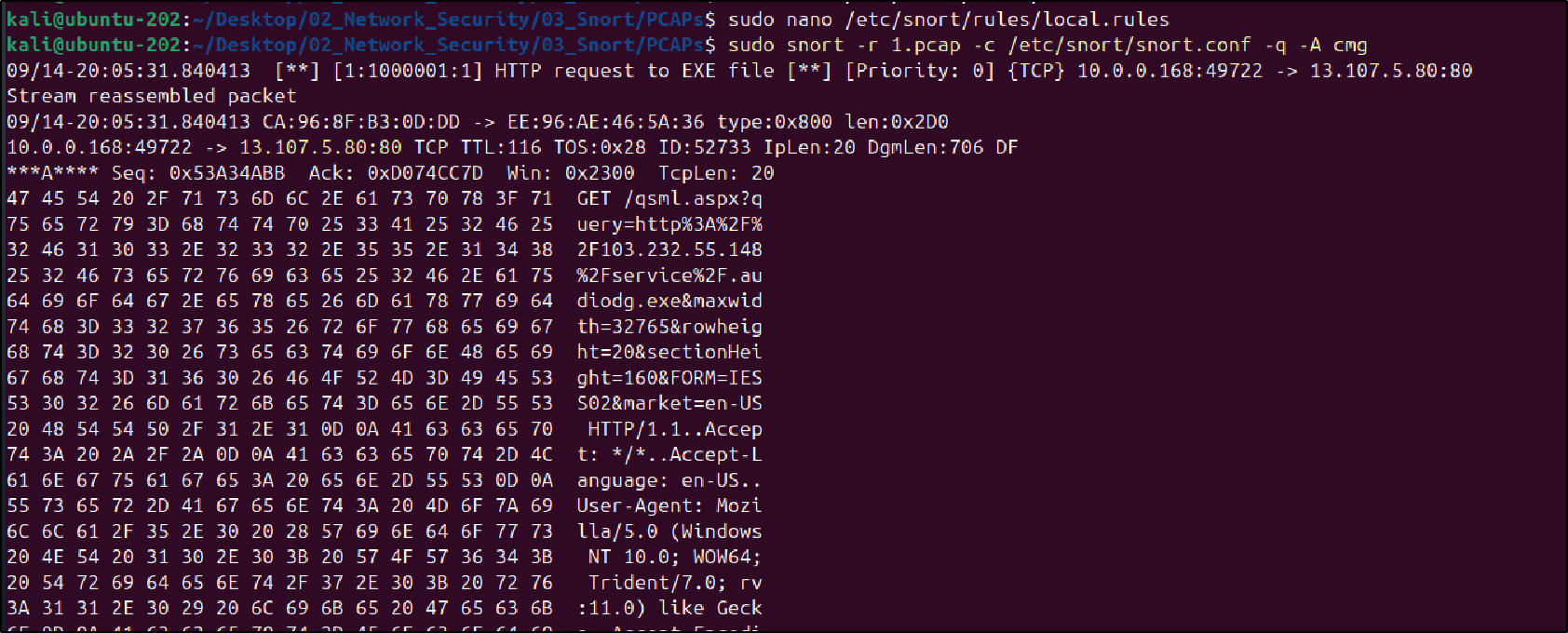
Let’s test our rule using sudo snort -c /etc/snort/snort.conf -T If there are any syntax issues in the rule, Snort will notify us, allowing us to make the necessary corrections.
Once the syntax check is successful, we will run Snort against the PCAP file using this rule and verify whether it detects the traffic.
In our case, the rule successfully detects the two HTTP packets that contain the .exe string in the URL.
Detecting exe file via File Signature
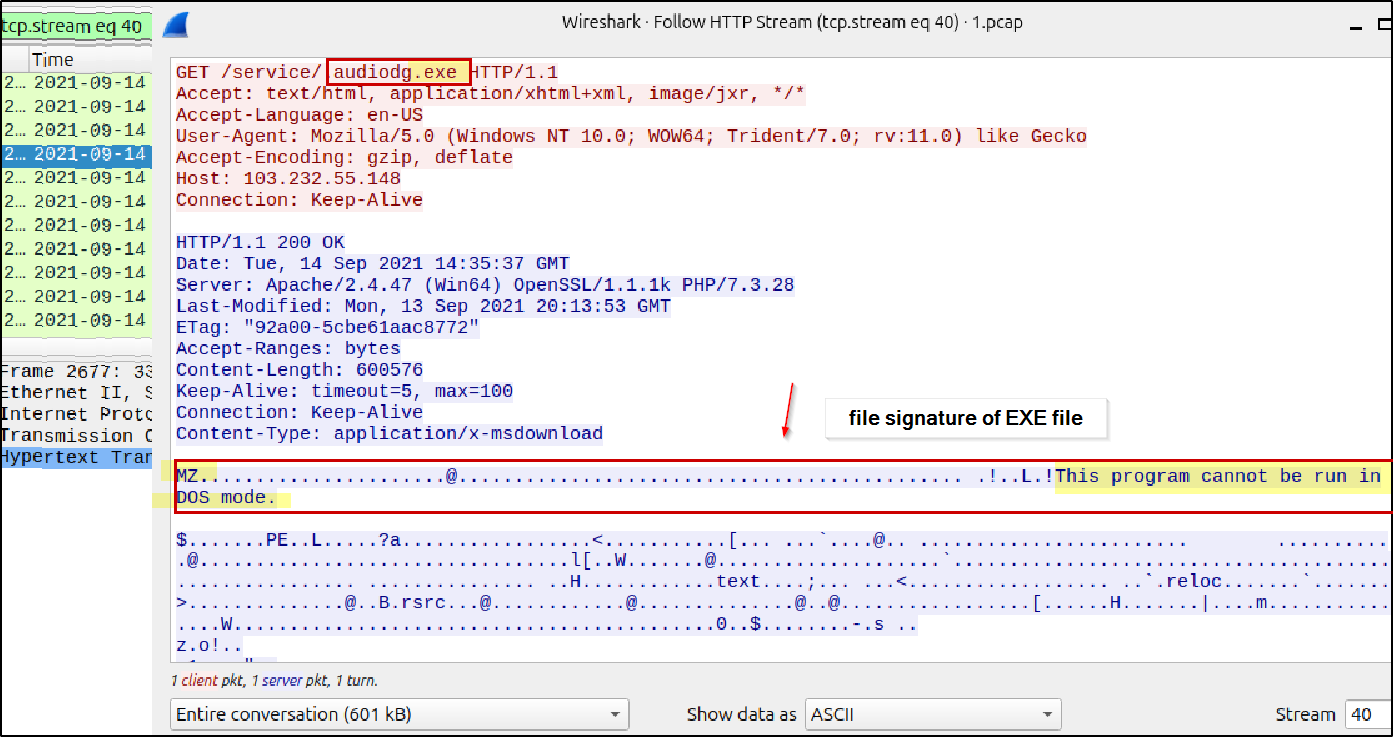
Not every EXE file contains the .exe string in the HTTP URL, as attackers often rename files to evade simple string-based detection. To handle this, we can detect EXE files by analyzing the file signature present in the HTTP payload.
In Wireshark:
Select the packet that contains the EXE file.
Right-click and choose Follow → HTTP Stream to view the full data transfer.
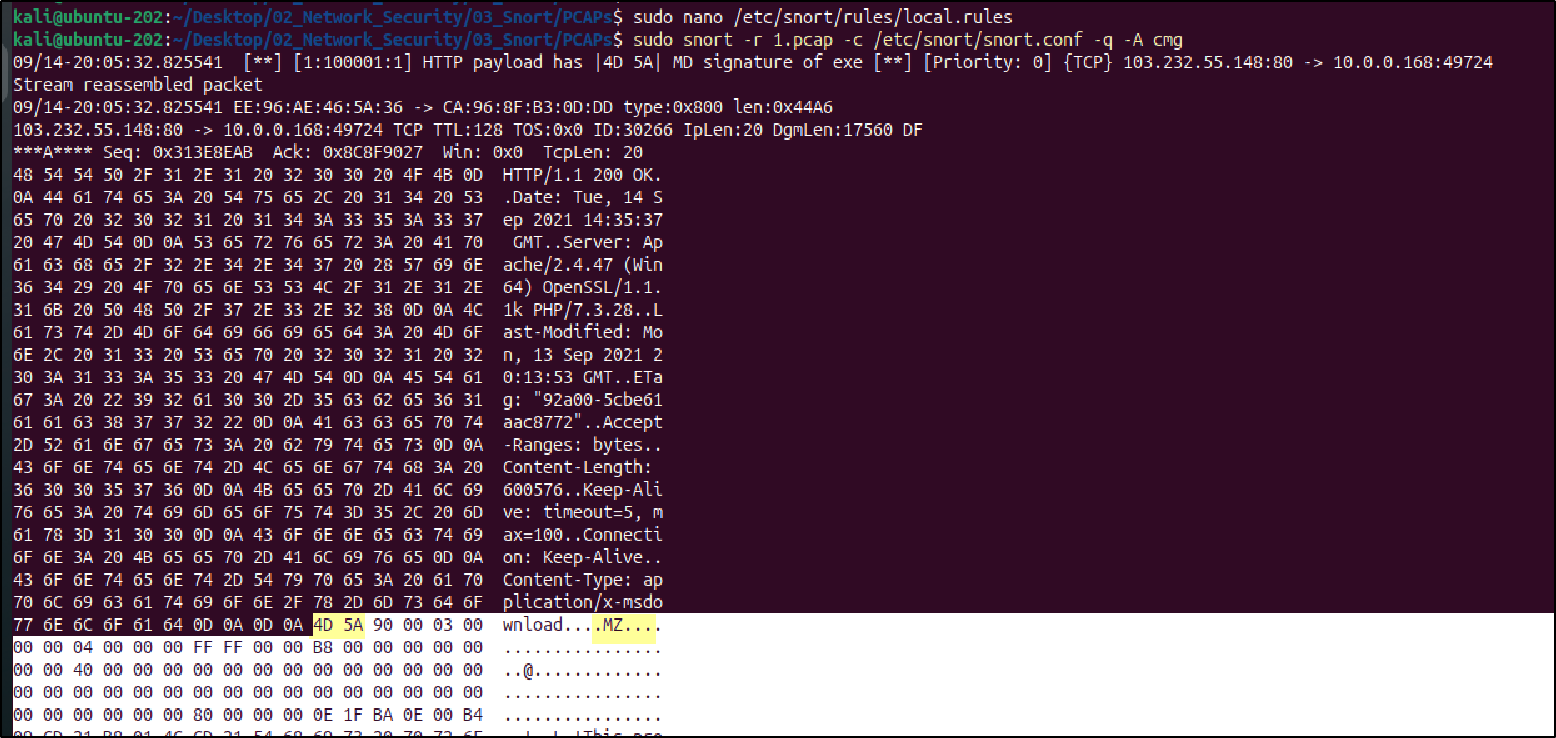
Observe the file signature (
4D 5A), which indicates a Windows executable.In this case, we can confirm that an EXE file named
audiog.exeis being transferred.
Snort Rule:
alert tcp any 80 -> any any (msg:"HTTP payload has |4D 5A| MD signature of exe"; file_data; content:"|4D 5A|"; depth:2; sid:100001; rev:1;)
After running this rule against the PCAP file, Snort successfully detected EXE files transferred over HTTP based on the file signature.
Suspicious User-Agent Detection – SSLoad
SSLoad is not a normal or commonly used User-Agent. If you observe an unusual or unknown User-Agent in your network traffic, it is important to research it, understand its behavior, and then create a detection rule. In this case, we identified SSLoad,
SSLoad is a Rust-based malware loader that gathers information about a compromised system (reconnaissance) and downloads additional malicious payloads, such as Cobalt Strike.
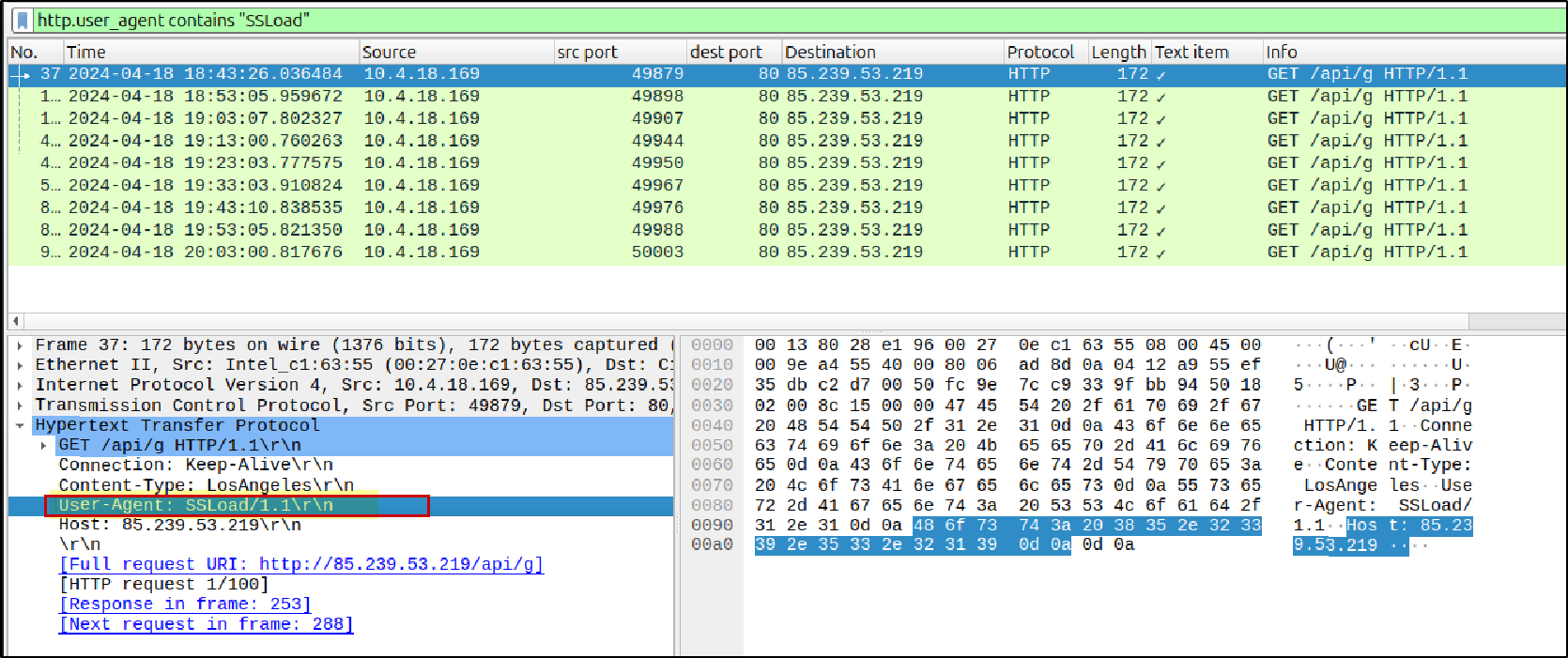
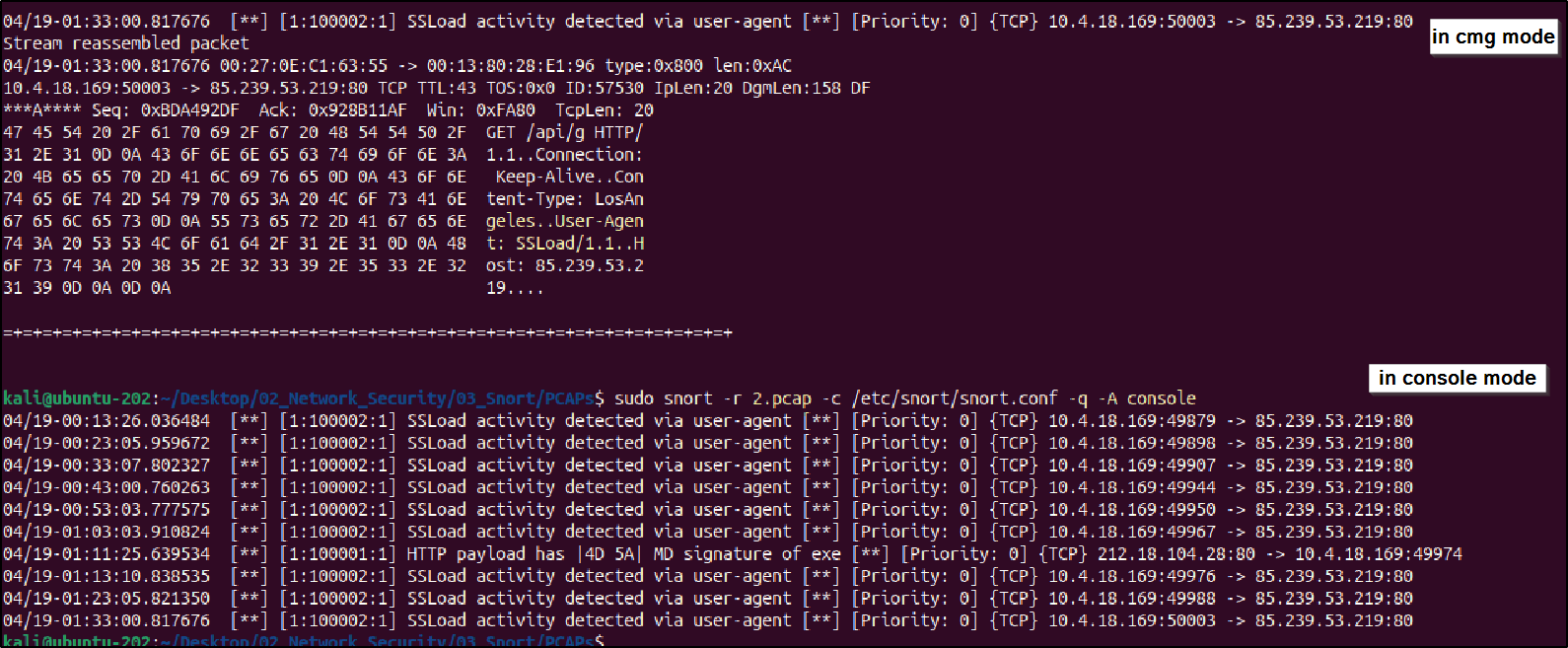
Snort Rule: This rule inspects HTTP headers and triggers an alert when the SSLoad User-Agent is observed in network traffic.
alert tcp any any <> any 80 (msg:"SSLoad activity detected via user-agent"; content:"User-Agent: SSLoad/1.1"; http_header; nocase; sid:100002; rev:1;)
After running this rule against the PCAP file, Snort successfully detected HTTP traffic containing the SSLoad User-Agent, confirming the presence of suspicious activity.
SSH Brute Force Detect
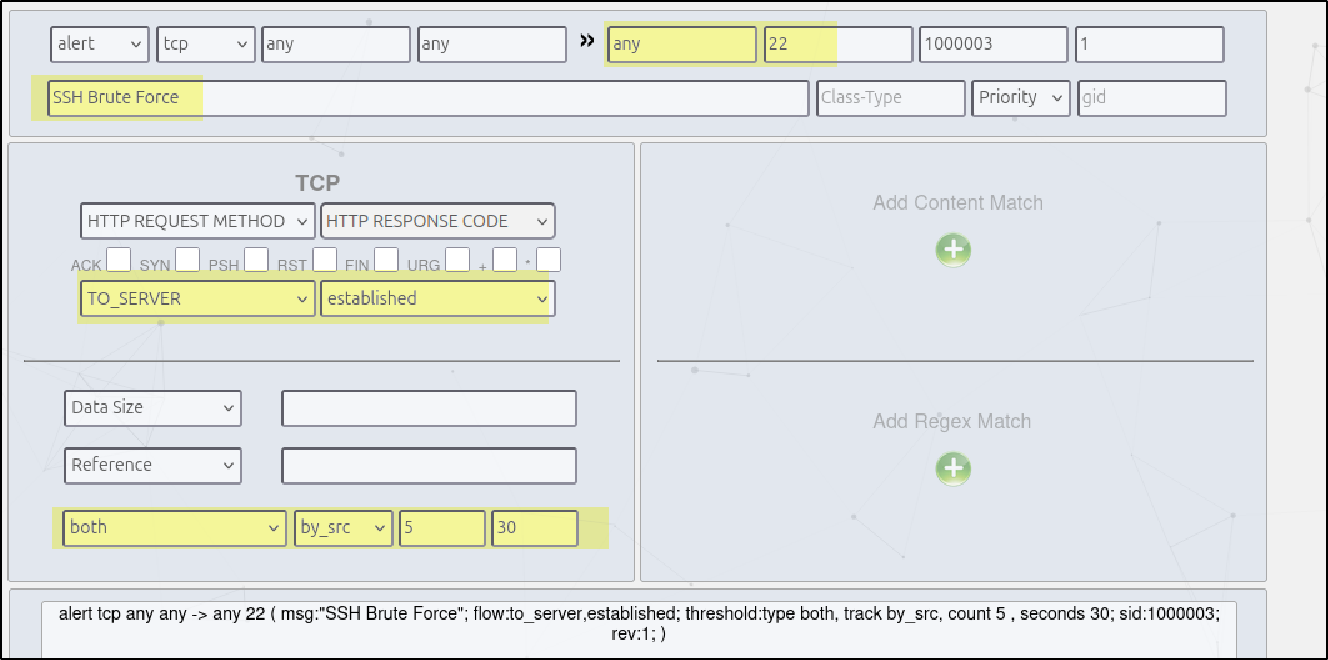
An SSH brute-force attack occurs when an attacker repeatedly attempts to authenticate to an SSH service using multiple login attempts in a short period of time.
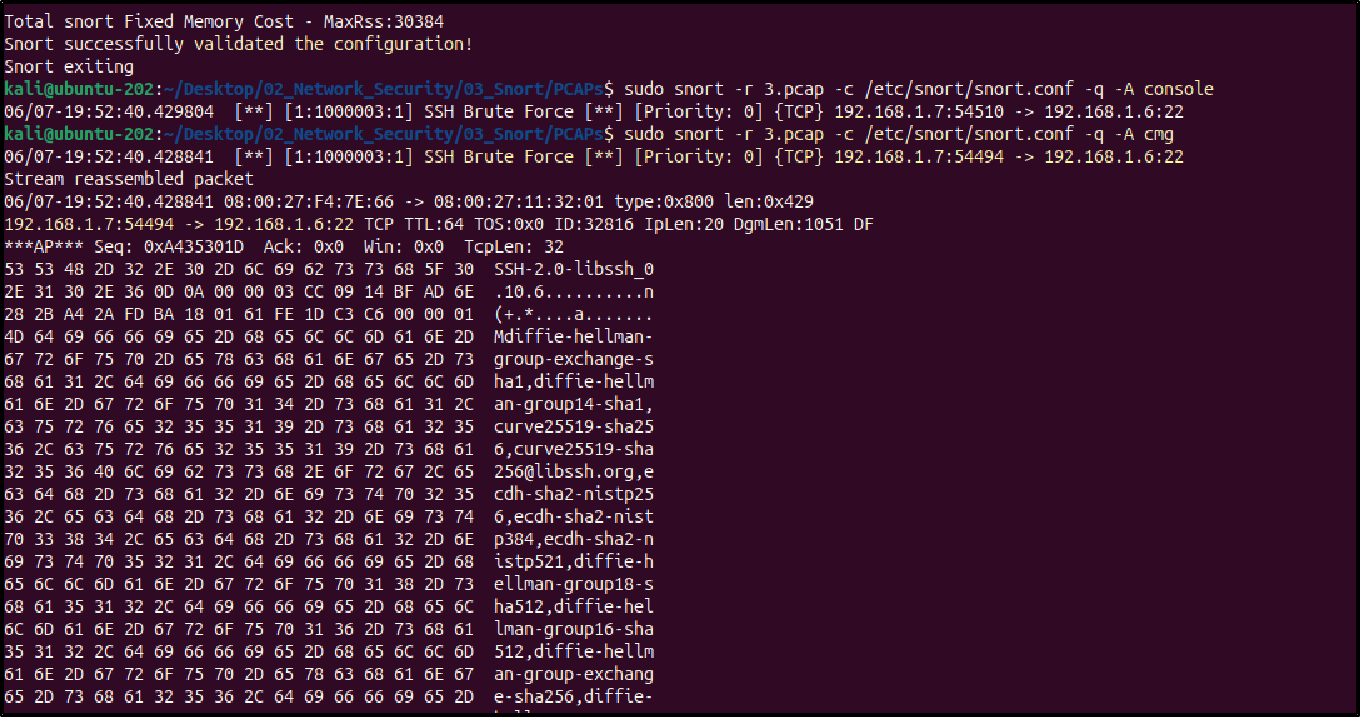
In this scenario, if a single source IP makes 5 SSH connection attempts to port 22 within 30 seconds, Snort will raise one alert indicating a possible SSH brute-force attack.
alert tcp any any -> any 22 (msg:"SSH Brute Force"; flow:to_server,established; threshold:type both, track by_src, count 5 , seconds 30; sid:1000003; rev:1;)
After testing this rule against the PCAP file, Snort successfully generated a single alert, indicating an SSH brute-force attempt originating from the threat actor IP 192.168.1.7.
This confirms that the threshold-based detection effectively identifies brute-force behavior while minimizing alert noise.
Path Traversal Detection
Using Wireshark, we identified that the IP address 192.168.1.7 is attempting to access sensitive Linux system files on our web server through a path traversal attack. The attacker is trying to read files such as:
/etc/hosts– system hostnames and IP mappings/etc/passwd– user account information/id_rsa– SSH private key file
These requests indicate an attempt to exploit directory traversal (../../) to access files outside the web root.
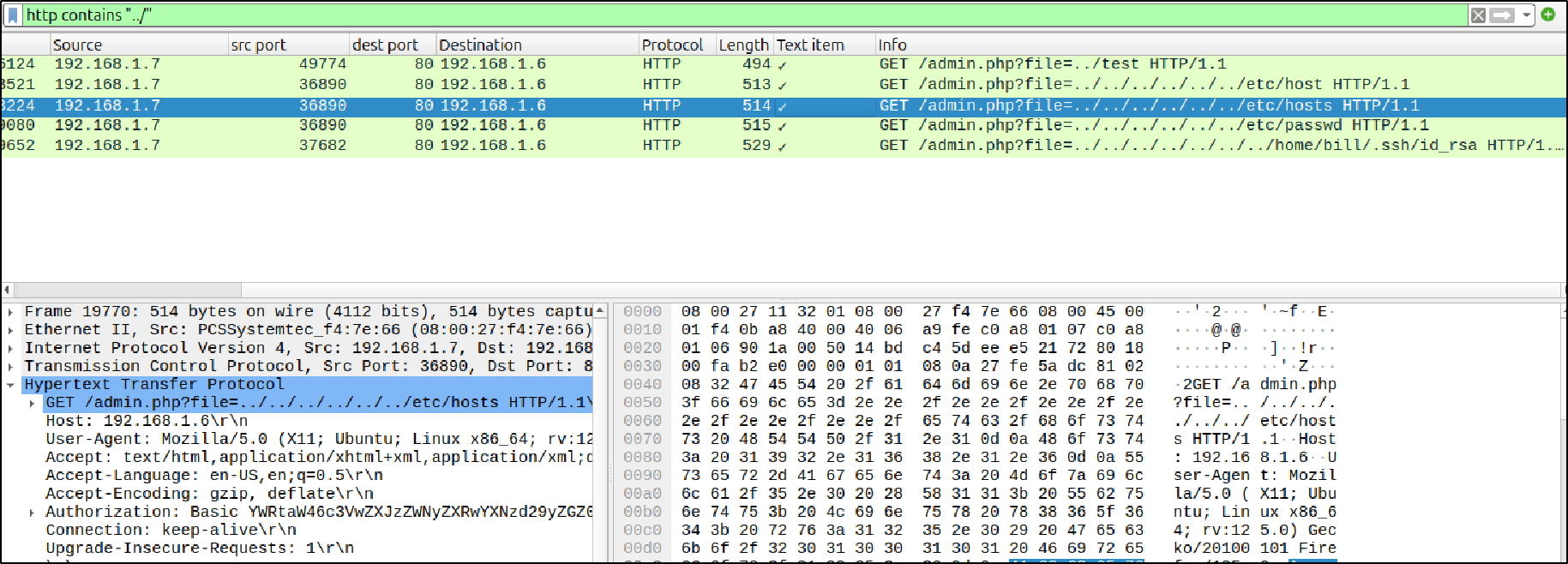
The rule inspects the HTTP URI for the ../ pattern, which is commonly used in path traversal attacks.
alert tcp any any -> any 80 (msg:"Path Traversal attempt detected"; flow:from_client,established; content:"|2e 2e 2f|"; http_uri; sid:1000007; rev:1;)

After running this rule against the PCAP file, Snort successfully detected the path traversal attempts originating from 192.168.1.7, confirming exploitation attempts against our server.
Connection to External FTP server detection
In an internal network, legitimate hosts usually communicate within the local network range. If any internal endpoint or host initiates a connection to an external FTP server outside the trusted network range (192.168.1.0/24), it may indicate data exfiltration or unauthorized file transfers.
Data exfiltration via FTP is a common technique used by attackers because FTP is simple, widely supported, and often poorly monitored.
alert tcp any any -> !192.168.1.0/24 21 (msg: "data exfiltration to external FTP server"; sid: 1000009; rev:1;)

I would like to express my sincere thanks to TCM Security and TryHackMe for their excellent training resources, which helped me understand attack techniques and detection methods in a practical, hands-on manner.
Thank you to all the readers for your time and interest in this lab. I hope it was informative and helpful.


